Counterparties
Counterparties are the external organisations you contract with: customers, vendors, partners. Each has contacts, who can be signers.
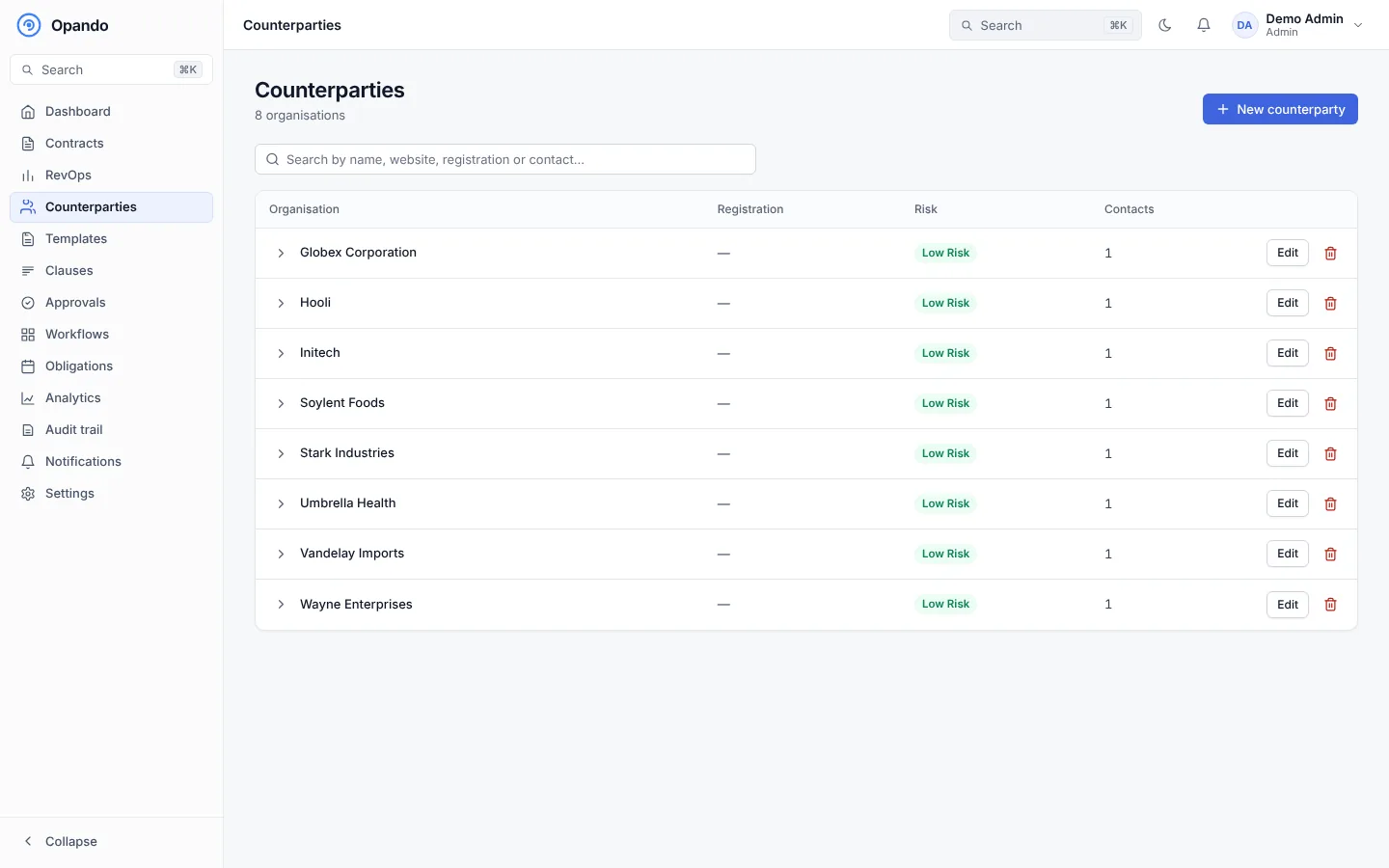
Search by name, website, registration number or contact. The list shows each organisation's registration, risk tier and number of contacts.
Add a counterparty
Select New counterparty and fill in:
- Organisation name (required), address, website, phone and registration number.
- Risk tier and an optional risk note for the RevOps team.
Then Add contact for each person: full name (required), email, phone and job title.
A counterparty's profile
Select an organisation to expand it.
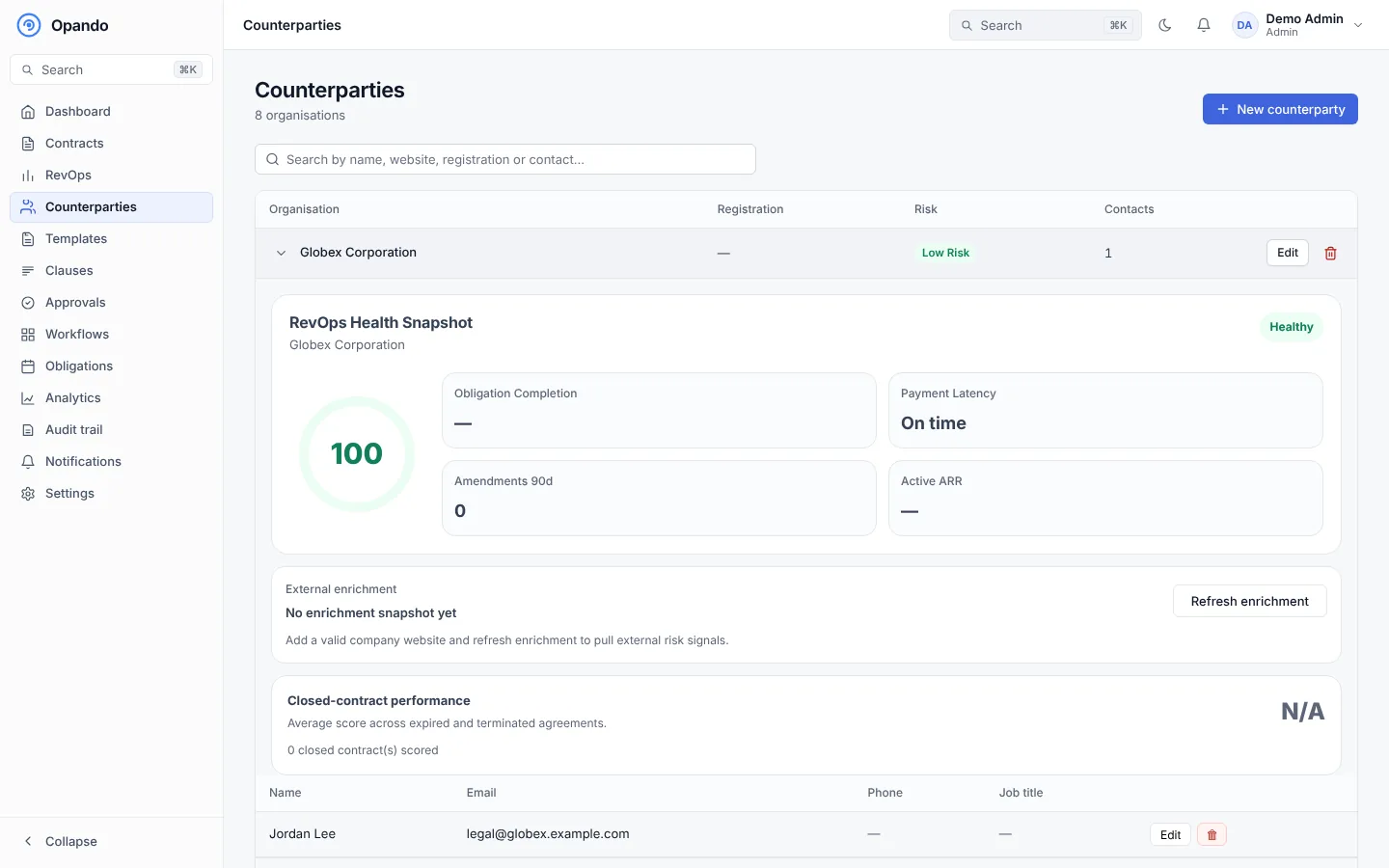
- RevOps health snapshot: a health score with obligation completion, payment latency, amendments in the last 90 days and active ARR.
- External enrichment: add a valid company website and Refresh enrichment to pull external risk signals.
- Closed-contract performance: the average score across expired and terminated agreements.
- Contacts, with edit and delete.
Permissions
Counterparties: view lets you see them; Counterparties: manage lets you add, edit and delete them. You choose counterparties when creating a contract; when uploading a signed contract you can also type a name that isn't in the list.