Admin change log
Settings → Admin change log records every change to your workspace's configuration: users, roles, departments, settings, custom fields, workflows, plan changes and actions taken by Opando Support.
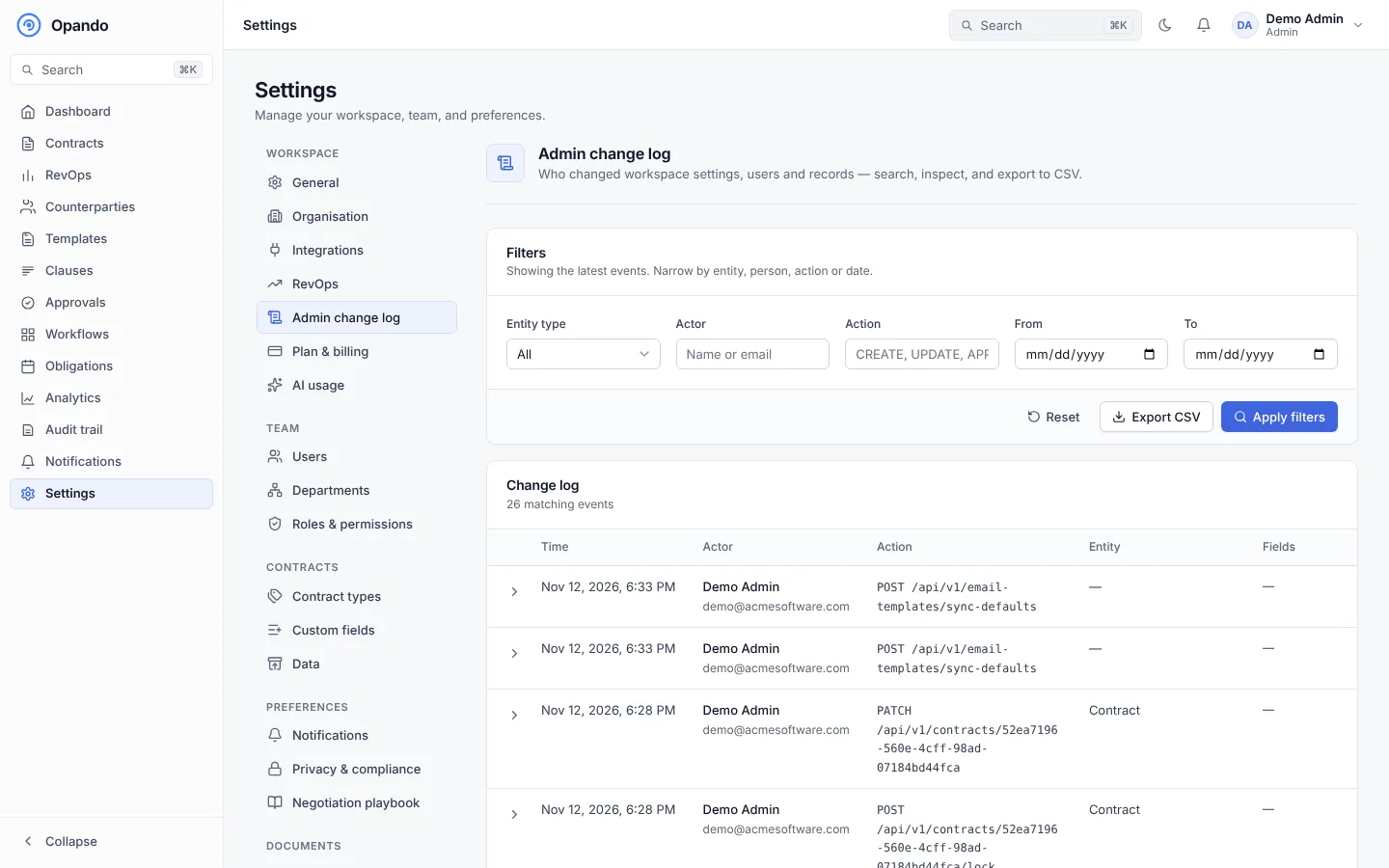
- Filter by entity type, actor (name or email), action (for example
CREATE,UPDATE,APPROVE) and date range, then Apply filters. - Each row shows the time, who made the change, the action and the entity. Expand a row to see what changed, or the raw data.
- Export the filtered log as CSV.
- Choose how many rows per page.
Changes made by Opando Support appear with the actor Opando Support and the reason they gave. Some, such as resetting a user's two-factor authentication or suspending the workspace, are also emailed to every active admin.
For every action across the workspace, including contract activity, see the Audit trail.