Users
Settings → Users is where admins invite people, change their access and remove them.
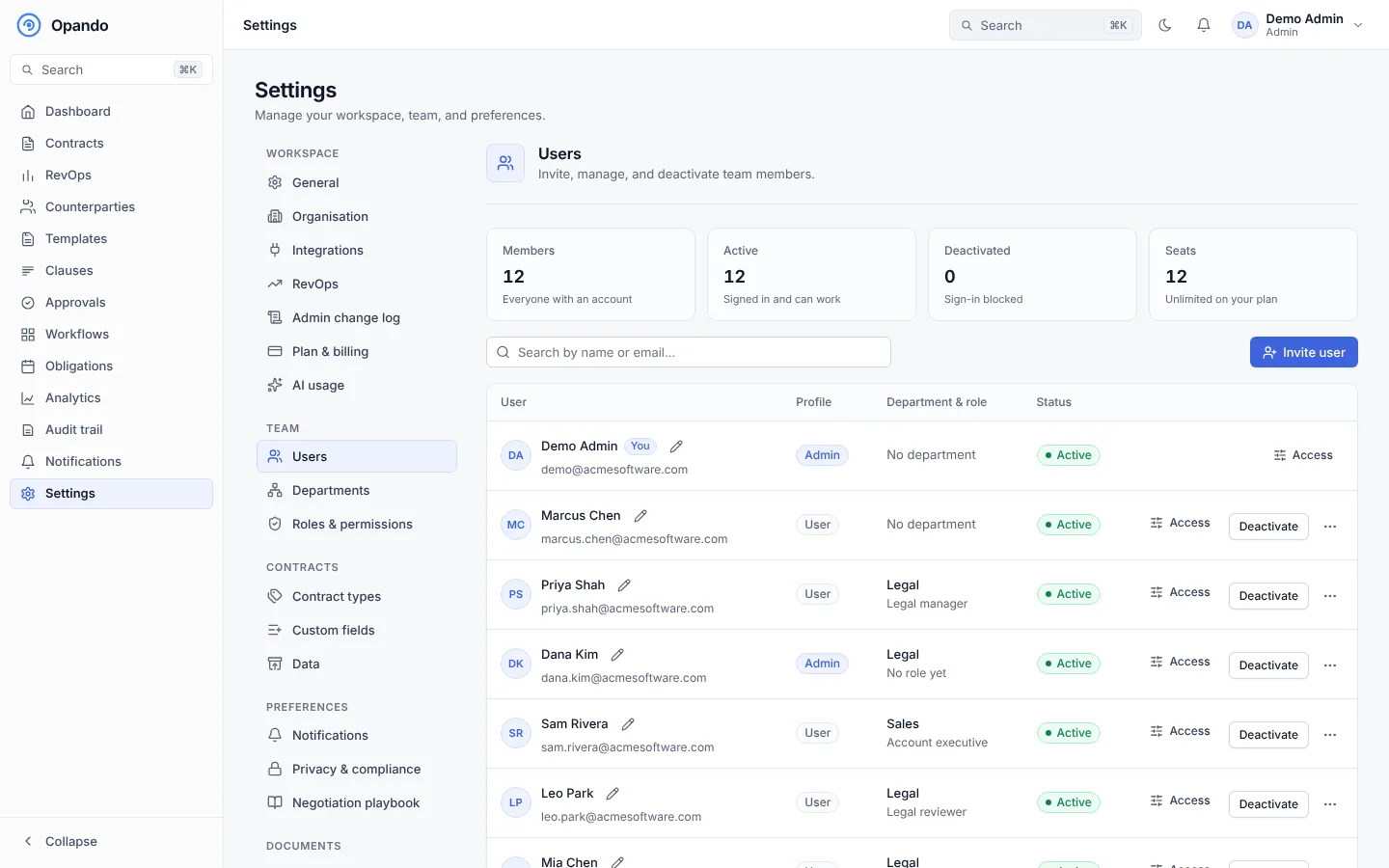
The team summary at the top shows members (everyone with an account), active users (signed in and can work), deactivated users (sign-in blocked), seats in use and free approver seats.
Invite a user
- Select Invite user.
- Choose the seat type:
- Paid seat: a full user who can create and work on contracts.
- Free Viewer/Approver seat: for people who only read and approve. Free seats are limited to a fair-use number based on your paid seats.
- Enter their full name and work email, and choose a profile (Admin or User), department and role.
- Select Invite. Opando emails them a link to set their password.
If the email doesn't arrive, copy the invite link and send it yourself.
An invite holds a seat until you act:
- Pending: holds a seat until they accept.
- Expired: the link expired (after 14 days by default). Re-invite or delete them to free the seat. Re-invite sends a new link and the old one stops working.
- Revoked: you revoked the invitation. They can't sign in but keep the seat until you delete them.
Change someone's access
Use Edit access to change a user's department and role, or select the pencil to rename them. A role change that would leave approval steps without an approver warns you first.
Deactivate or remove a user
When someone leaves, Deactivate them. They can't sign in, their history is kept, and their seat is freed.
If they hold work (contracts they own, negotiations they handle, pending approvals, workflow steps, obligations), Opando asks you to hand it over first:
- Choose who takes over each group, or Use one person for everything.
- Show the items lists exactly what moves.
- Add a note, for example Left the company on 24 Oct.
- Pending reviews and approvals must be handed to another reviewer before the removal goes through. You can also remove them from a step, send it back to the admin, or withdraw the contract from approval when nobody else can approve.
- A pending signature request where they are an internal signer must be voided and resent first.
Everyone who takes over work is emailed what they received. A removal in progress shows Leaving; you can Finish removal or Stop removal.
Delete user removes someone permanently and can't be undone. Deactivate instead to keep their history. The last active admin can't be removed.
Seats
Your plan includes a number of seats. On Starter and Pro you can Add seats (the change is prorated onto your monthly invoice) in Plan & billing. See Plans and limits.