RevOps settings
Settings → RevOps (also the Settings tab in RevOps) tunes how RevOps scores contracts and alerts your team.
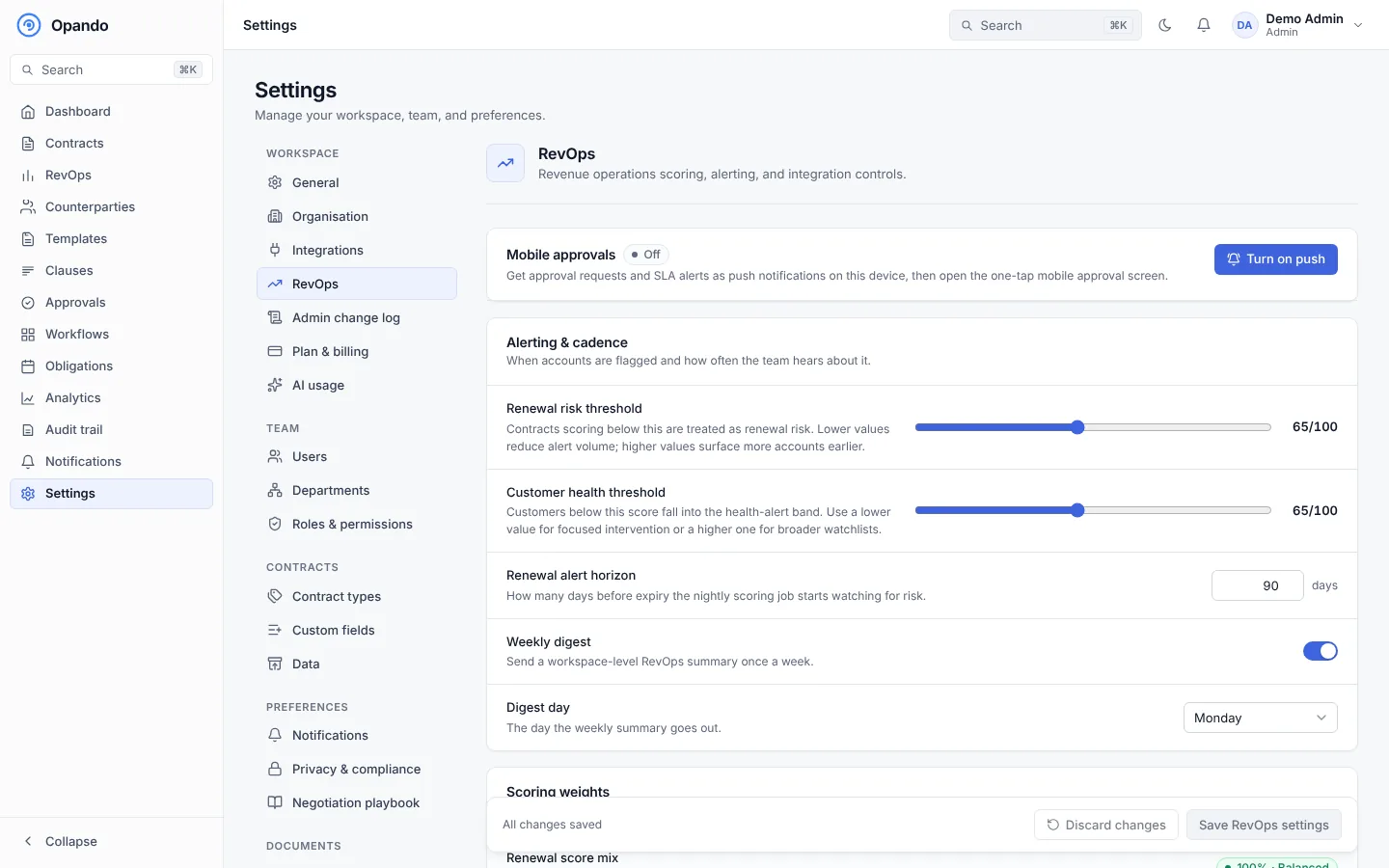
Alerting and cadence
- Renewal risk threshold: contracts scoring below it are flagged at risk.
- Customer health threshold: customers below it go on the watch list.
- Renewal alert horizon: how far ahead to look for renewals.
- Weekly digest and digest day.
Scoring weights
Two mixes, each of which must add up to exactly 100%:
- Renewal score: obligation health, owner engagement, payment behaviour and amendment stress.
- Customer health: obligation completion, payment score, amendment score and friction score.
Revenue guardrails
- Discount ceiling (%): discounts above it are flagged for review and need an exception approval. Leave empty for no ceiling.
- Display currency: the 3-letter ISO code used across revenue views.
Exchange rates
Add rates relative to the display currency with Add currency. They are used across portfolio and revenue views and to total contracts in other currencies. Without rates, amounts show in their own currency.
Slack and webhook
- Slack webhook URL: renewal and customer-health alerts and the weekly digest are posted to Slack.
- Outbound webhook URL: receives signed contracts, renewal risk, health alerts and approval SLA breaches, for your CRM or other systems. Add it only once the endpoint is live.
Push notifications for approvals
Turn on push notifications for this device to get approval requests and SLA alerts as notifications, which open a one-tap mobile approval screen. Send a test notification to check it works, or Turn off on this device.
Select Save RevOps settings, or Discard changes.